Affichage des articles dont le libellé est PixelArt. Afficher tous les articles

jeudi 1 septembre 2016

Latest screenshots

Here are some screenshots showing the latest build of Cape Bleue.


I've redone the parallax programming, and added a few layers. Here is the main character on a zipline (in a specific spot that would have bugged severely before the reprogramming, so even if it doesn't look like it, this thing is a great victory).

You can use a small robot to get in narrow places. Or to initiate a mine or another trap...

Trying to guard with a shield against an attack.


Slaying mosquitoes.

Sending a knife.

Same thing with a fireball...

Effect of a fireball in someone's face.


The new dialogue UI.

First tests of localization (the main version is in english). And you can see how the scene is zoomed in, as it is in every building's interior now.


mardi 19 juillet 2016

Recolor

I spent some time lately working on colors. I edited the colors of nearly every object in the game, and redrew some of them.

Below you can see before/after comparison screenshots (click for full size):


There is still work to do, especially on enemies, as I plan to redo them with a better contrast and volumes, like shown below (still in progress).

Up: current enemies. Down: the kind of thing I'm doing.

Here are some screenshots showing the latest build, with new colors everywhere. There are still tunings to do, but it's really better than before. I hope you'll like it.


mardi 31 mai 2016

Portraits & new tileset

I've been unable to code for a few days (plugin incompatibility, waiting new version to solve it), the good thing is I used this time to add new graphics.

The first is a style of portraits, showing every character in the dialogue part of the game. Making portraits from ultra low-rez sprites is fun! Here is the first batch, click for bigger size:


And I'm working again on tileset. Here is a screenshot of my work in Pyxel Edit, showing the new tileset I'll use in the beginning of the game (the goal is to replace the tileset used here for example).


mercredi 20 avril 2016

Chrono cards & enemy AI

I spent the last days programming "chrono cards" UI for Cape Bleue. It's a system of unlockable pages about the game's backstory (the 1000 years before the game's beginning, leading to the world you see in the game).

I also worked on enemy AI. Here is a GIF showing an enemy in motion, and the detection colliders attached, used to detect the type of ground he faces & take decisions. Sorry about the quite bad looping.


jeudi 7 avril 2016

Swim

I'm working on the swimming mode for Cape Bleue, with an oxygen bar, and its own move speed, animations, etc. Here is a screenshot of a quick test I just made:


I also redesigned some UI stuff, and added a "unlocks" panel in the inventory, showing each abilities unlocked by the player. Here is a screenshot:


That's all! Thanks for your support, and for following the development of Cape Bleue, on this blog or on Reddit.

jeudi 24 mars 2016

What's new

Long time since the last blog update... but I didn't stop working on Cape Bleue. Here's what's new:

- A new design for the main character, with better colors. Because of this, I had to edit every animation (more than 300 frames...). It was a good opportunity to add a few new animations ("idle to run" transition, for example, or climbing) and rework some of the most important (like run, attack, etc.), so I did this.

Here you can see the sprite design evolution.


1 is the original sprite.
2 is a redesign in a mock up of Cape Bleue made by Mathias.
3 is a try I made to adapt Mathias' version in the current style & size of the game.
4 is the new version, taking some ideas from 2, adapted to the game's general graphic style.


Below you can see some of the new moves : double jump (salto) and strong attack.


- Secrets & hidden passages. A few pics to show the process in game:


- New tilesets & backgrounds.


- Enemy AI has been entirely redone, for a better enemy behavior, and making it easier to add new enemies later. Nothing to show about this, but it will be a huge enhancement in the development process.

mardi 19 janvier 2016

New UI and other nice things

 I worked on a lot of small different things lately. Here are a few screenshots showing the new stuff.

First, I drew a new UI (& put it in Unity). Still in progress, but I like it. The HP counter (left to the life bar) is useful, I should have make it sooner.


On this screenshot, a color corrected version of the new UI (brighter & less contrasted).


I also added some interiors. Here is the supermarket. 


I programmed a shadow effect, like in Street Fighter Zero/Alpha (during super attacks), or Castlevania Symphony of the Night


vendredi 18 décembre 2015

Mountains & caverns

I'm still working on new backgrounds.
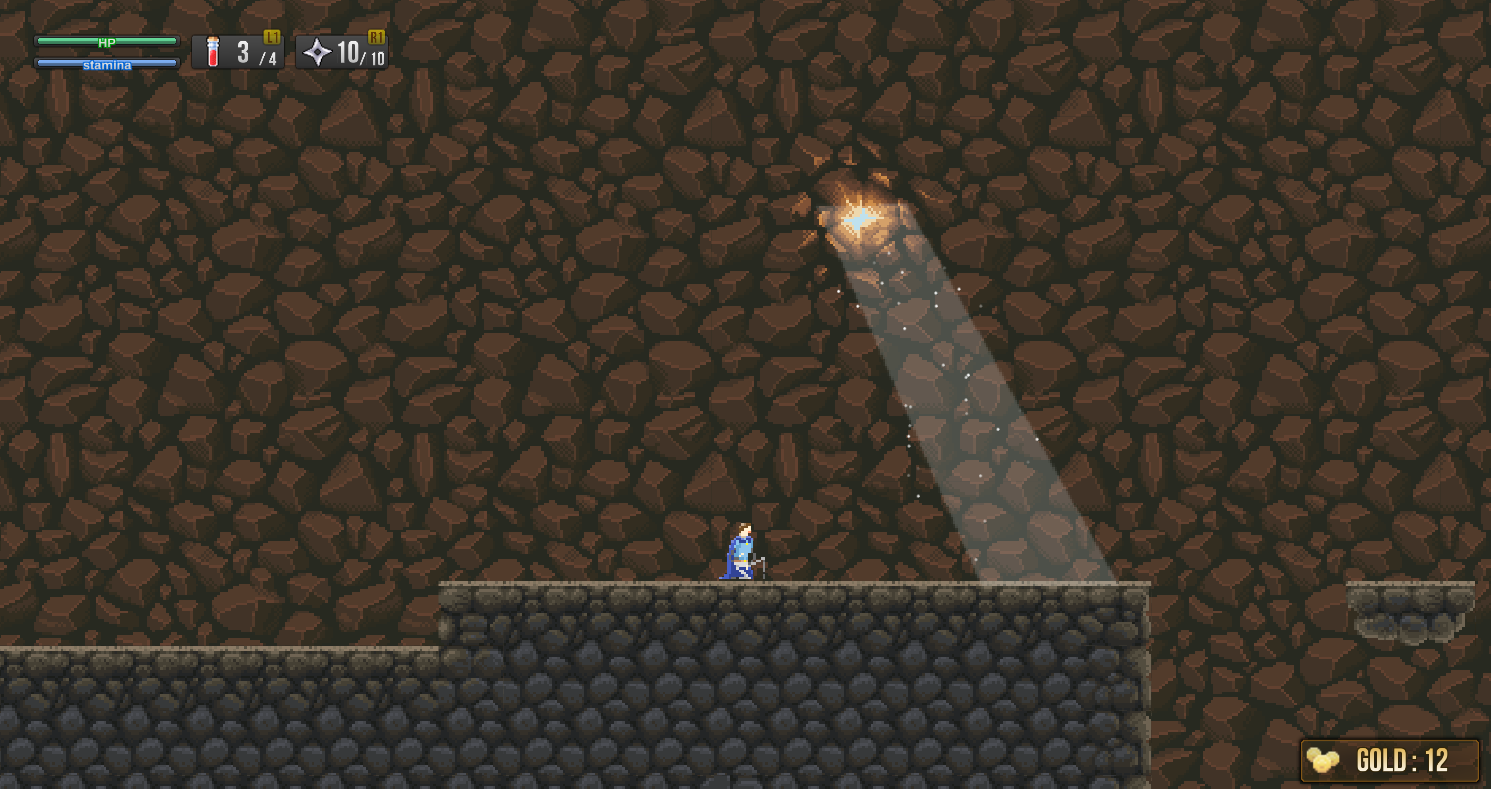
Here are some screenshots showing the new mountain background, and a first try of mine level. Click for full size.


mercredi 2 décembre 2015

First screenshot of desert level

First test in Unity of a new level I'm working on. Still in progress.


vendredi 6 novembre 2015

Spider

Here is the last thing I made, a spider, walking like a boss. Currently working on the whole animset for this character. 


lundi 25 mai 2015

Making water with simple interactions


I spent the last days drawing water for Cape Bleue, and coding how it interacts with characters. You can see a GIF of the result here. Someone on Reddit asked how I made it, so it could be a good idea to show here the process I followed.

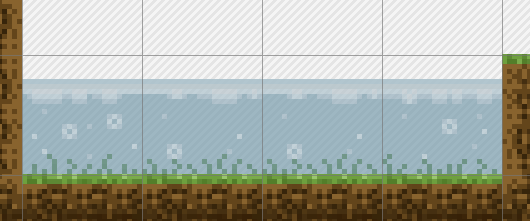
I began with a drawing of water tiles, in Pyxel Edit.


It's not animated, and still not in Unity, but I did a quick mockup to see how it would render with game's background and characters.


It's good. I want this in my game! The only problem I noticed was the upper line, making the character looks like it's behind water and not in it :


So I reworked everything properly this time, keeping in mind how I would concretely code all this.


For technical reasons I couldn't do animated tiles, so I separated the tile in 3 main parts: water line (extensible horizontally to match puddle's size, and will be used as a detector for collisions), animations (bubbles and herbs), and water (a simple color, extensible easily).

I did simple animations, with just enough frames for bubbles to loop : 


Placing this in Unity is simple. Water line and water color (set with transparency in Unity) are extended all along the pool size, and I put animations one next to the other:


Putting character behind water, but in front of water line is a quick setting of the Z position of every object.

The next thing was coding interactions, splashes for entering /exiting the water, and other splashes for moving. Back to Pyxel Edit, I draw splash animations, one big, one small:


I can't give the script for all that follow, because there isn't. I made it with Playmaker, that allow me to code in finite state machine. I can explain what were the major steps.

This is what my scripts look like.


I have 4 main scripts :
- The first one, placed on waterline, detects collision with player or enemy objects (in playmaker, it is "Trigger 2D action" with "on trigger enter 2D" as trigger value). It has a dozen splashes objects as children, all desactivated. When collision occurs, it activates one of the splashes and set his position X to the character detected (the Y value stays the same, as it is waterline's position), and desactivate some of the others.

- The second one do the same with "on trigger exit 2D" as trigger value. I can use it to add a different splash animation when the character jumps out of water.

- I have a child object to the player's character that detects if it is in water (in collision with water line object). The bool variable "inWater" just created will allow me to slow the player when in water or other things like this (not done yet). After this, I check character's speed, and if it's more than a certain amount, the script sends an event to the fourth and last script...

-... which shows small splashes. It is very close to the first one, the main difference being it doesn't trigger when collision occurs, but when player object (and every object that has this script) sends the right event.


The result can handle a few characters making splashes at the same time. The major flaw in my process is bubble animations that need to be remade for every different value of depth of water.

I think it works great, so I'm happy with it. All animations could be changed or polished to have a better result, now that I'm not in the hurry of drawing-what-I-need-for-coding anymore.

Thanks for reading!